If you let init install the cron lines, you're already done. Cron calls
nightaudit run every hour; the command decides for itself whether to act and
exits quietly when the answer is no:
0 * * * * ~/.local/bin/nightaudit run    >> /tmp/nightaudit-cron.log 2>&1
30 7 * * * ~/.local/bin/nightaudit digest >> /tmp/nightaudit-cron.log 2>&1
The hourly line is the gated one; the 07:30 line renders yesterday's findings.
init writes the absolute path to the binary because cron runs with a minimal
PATH that almost certainly doesn't include yours, and redirects both streams
to a log because there is nowhere else for cron's output to go.
A run happens only when all four gates open:
- Window — the clock is inside one of your
schedule.windows. - Idle — you haven't touched Claude Code for
idle_minutes. nightaudit watches~/.claude/projectsand stays out of your way while you're working. - Budget — you have runs left today and this week.
- Lock — no other run is already in flight.
Any gate saying no is normal, not an error. It prints one line and exits 0:
$ nightaudit run
nothing to do — outside configured windows (00:00-06:00)
Each run pops one (project, task) pair from a persistent round-robin queue,
so every project gets its turn and a noisy one can't starve the rest.
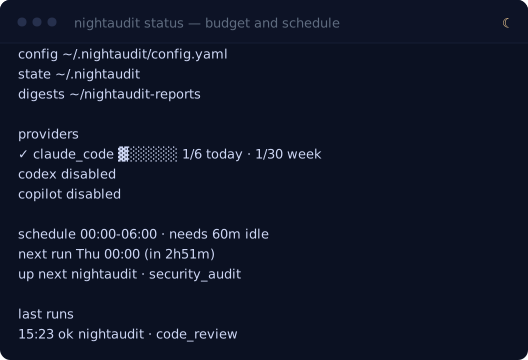
To check on it any time, ask:
And to watch a run that cron started — including one already in progress —
nightaudit watch follows along live and replays the last finished run first.